
Know when your solar drops, with no Wi-Fi.
Your EcoFlow DELTA 2's solar, battery and output in the Mac menu bar, read over Bluetooth.
For the EcoFlow DELTA 2 only, for now. It only reads data and can't control the battery.
Windows and Linux: not available yet
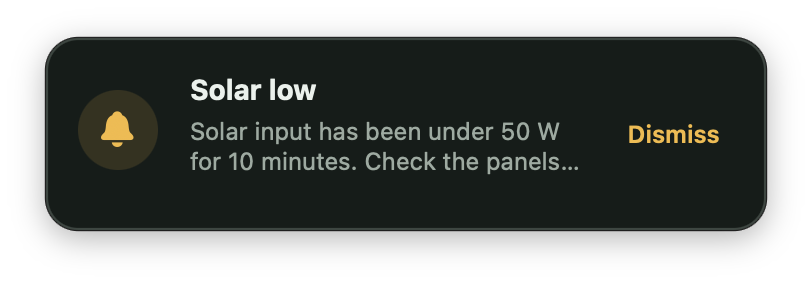
Alerts when solar drops
An alert pops up in the corner of your screen. You choose which values show in the menu bar.
Install
- Open the file and drag Watt Watch to Applications.
- Allow Bluetooth if macOS asks.
- Sign in with your EcoFlow account. You only do this once.
Questions
Why Bluetooth only?
It works where there's no Wi-Fi, like a cabin, a van or a campsite. Readings come straight from the battery next to you, not through the cloud.
Why do I need to sign in?
The Bluetooth link uses a key derived from your EcoFlow account ID and the battery's serial number. You sign in once so Watt Watch can set that up.
What happens to my password?
It's used for that one sign-in and never saved. Only your account ID is kept, in the macOS Keychain.
Why can't the EcoFlow phone app connect at the same time?
The battery allows one Bluetooth connection at a time. Press Pause in Watt Watch to free it for the phone app.
Can it control my battery?
No. Watt Watch only reads. It can't change settings or switch outputs.
Does it work with other EcoFlow models, Windows or Linux?
Not yet. It works with the DELTA 2 on a Mac. Windows and Linux versions aren't built.